
45 lines
1.5 KiB
Markdown
45 lines
1.5 KiB
Markdown
# ubuntu Qv2ray安装和使用
|
||
|
||
## 安装
|
||
|
||
下载
|
||
|
||
* v2ray core
|
||
|
||
https://github.com/v2fly/v2ray-core/releases/download/v4.34.0/v2ray-linux-64.zip
|
||
|
||
* 安装qv2ray
|
||
|
||
打开terminal运行以下命令安装qv2ray
|
||
|
||
```sh
|
||
sudo snap install qv2ray
|
||
```
|
||
|
||
* 配置v2ray core
|
||
|
||
[下载](https://github.com/v2fly/v2ray-core/releases/download/v4.34.0/v2ray-linux-64.zip)并解压v2ray core 至任意位置,但不能和qv2ray执行文件在统一路径下。
|
||
|
||
双击打开qv2ray 依次点击 首选项==》内核设置
|
||
|
||
1号位置的路径是解压后的文件夹中的v2ray文件
|
||
|
||
2号位置的路径是解压后的文件夹所在的路径
|
||
|
||
## 使用
|
||
|
||
v2ray订阅链接在购买服务的网站上有提供,不同网站的订阅链接的具体位置不太一样,不过一般都是首页,会找到一个订阅设置相关的页面,里面会有各种订阅方式的订阅 链接 例如ssr v2ray clash之类的。找到并复制v2ray订阅链接
|
||
|
||
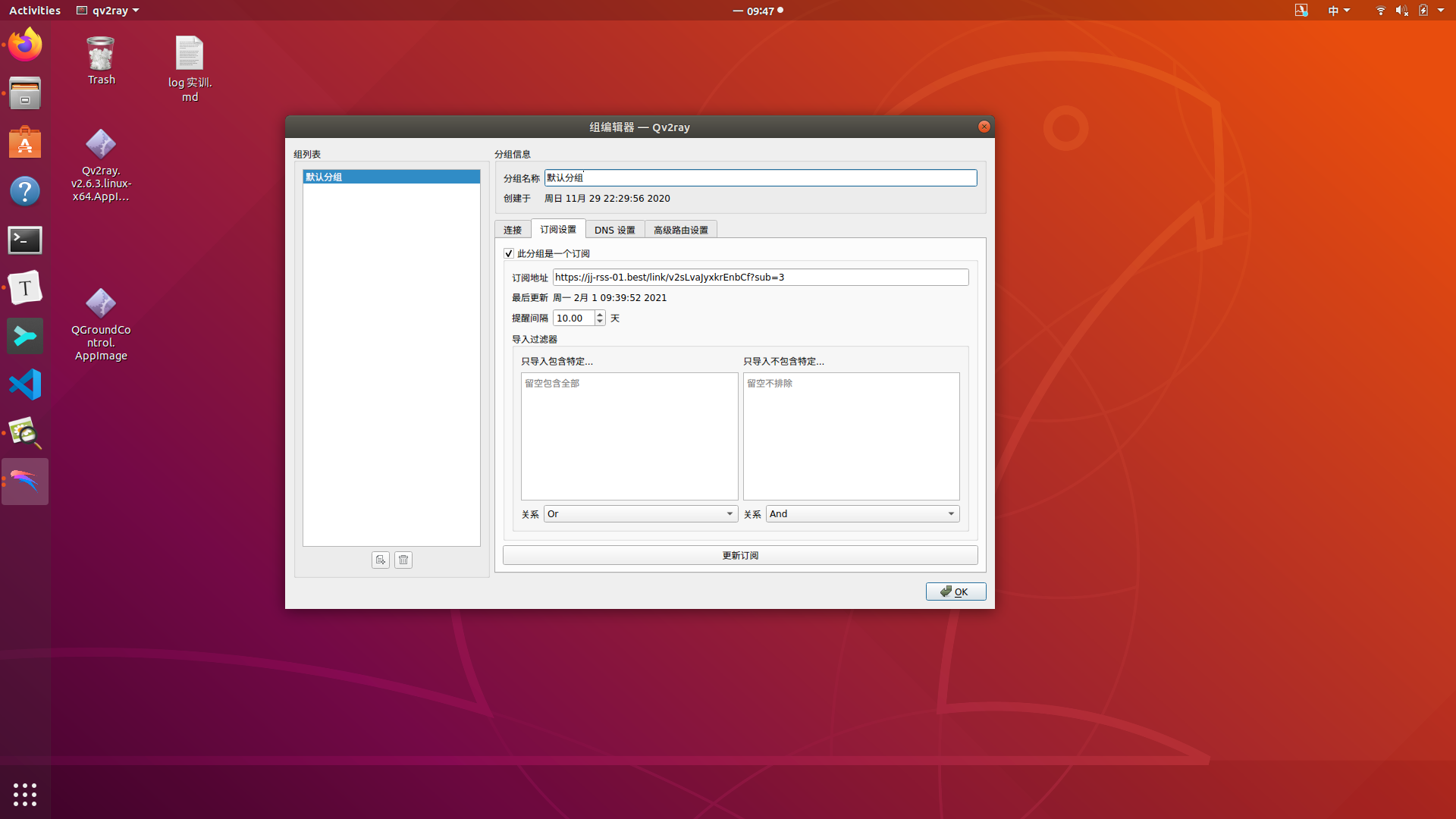
依次点击 分组 ---》订阅设置---》此分组是一个订阅---》再在订阅链接的位置粘贴v2ray 订阅链接。之后更新订阅链接即可。
|
||
|
||
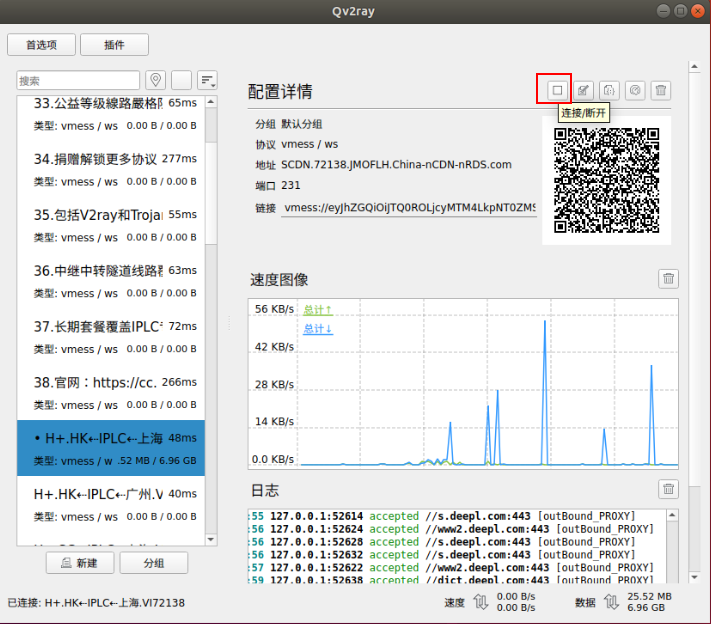
回到主页面之后选择线路并启动即可。
|
||
|
||
|
||
|
||
|
||
|
||
|
||
|
||

|
||
|